Lucid Reader
What it is
A reading view for Markdown inside VS Code. Not a preview.
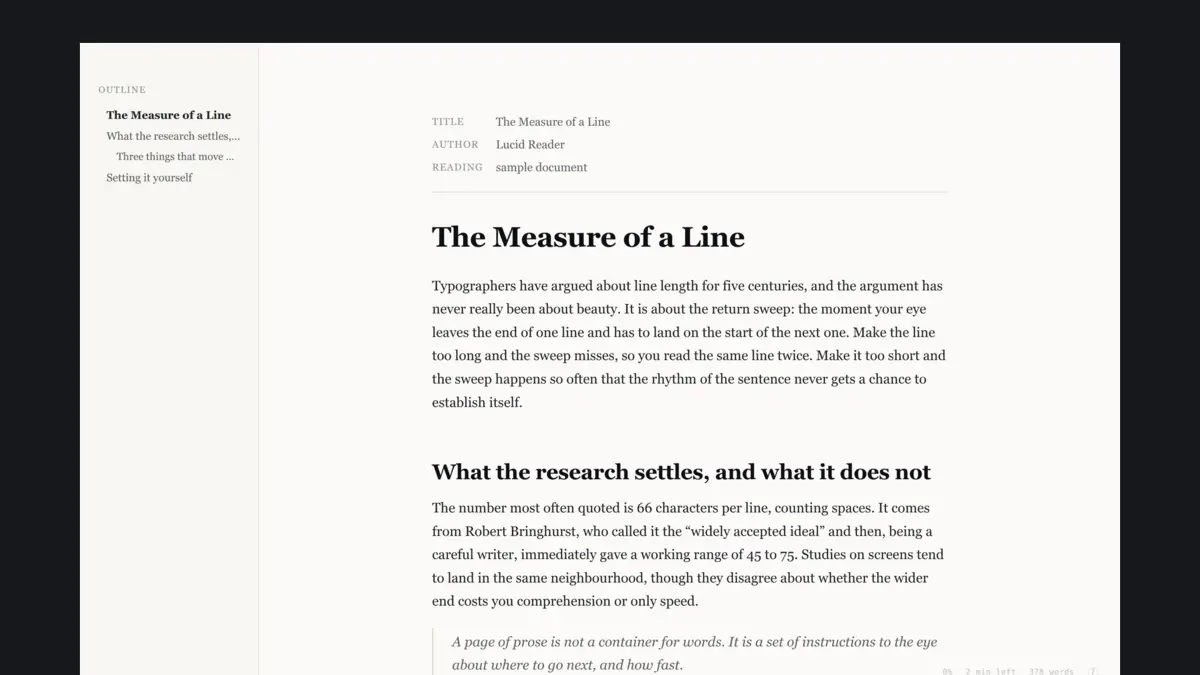
The built-in preview exists to show you what your Markdown compiles to. Lucid exists to let you read it: one column at a comfortable measure, typography you can tune to your own eyes, and a set of aids for holding your place in a long document.
It is a real editor tab, so tab groups, Ctrl+P, and split panes behave normally. Edits made in a text editor show up live, including unsaved ones.
What you get
- Typography you control. Font stack, size, weight, line height, measure, letter and word spacing, paragraph spacing and indent, hyphenation, smart quotes, drop caps.
- Seventeen reading palettes. Paper, sepia, parchment, dawn, sage, mist, newsprint, gray, dim, dark, midnight, ocean, forest, ember, plum, black, plus two maximum-contrast palettes. Every one clears WCAG AA for body text.
- Reading aids. Focus mode by paragraph, sentence, or line. A reading ruler in three styles. Bionic reading. A teleprompter auto-scroll with adjustable speed.
- Navigation. Outline sidebar with scrollspy, sticky section heading, progress bar, words remaining and time remaining, find in document, and a jump back to the source line you were reading.
- Keyboard first. Every control has a key and a matching
lucid.*setting. Press?in the reader for the list.
Technical specs
- Compatibility: VS Code 1.85 and later. Also runs in editors that use the same extension API.
- Runtime dependencies: none. The Markdown parser, the renderer, and the reading aids are roughly 2,900 lines of TypeScript and JavaScript, plus 1,700 lines of CSS, all in the extension itself.
- Size: under 60 KB packaged.
- Fonts: none are bundled. Presets fall back to whatever is installed on your system.
- Privacy: no telemetry, no analytics, and no CDN assets. The reader itself makes no network requests and never executes document content. Remote images and fonts referenced by your own document are still fetched by the webview, as they would be anywhere else.
Install
Lucid Reader is not on the VS Code Marketplace yet, so searching the Extensions
view will not find it and it will not update itself. The download here is a
.vsix file. Install it either way:
code --install-extension lucid-reader.vsix
Or in VS Code: Extensions view, the ... menu, "Install from VSIX".
Then run Developer: Reload Window, because installing does not affect the
window that is already running. Updating means downloading a newer file and
repeating this.
Licence
MIT. Free to use, fork, and redistribute. The donation is optional and buys nothing extra.